The In-Game Hub
Wanderers Across Worlds features an entirely in-game downloader. You do not need to download companions manually! Press H to open the Hub. From here, navigate to the Companions tab to browse, install, and manage your roster.
- Updating: When a companion receives an update, open the Hub, go to the Sync tab, click "⟳ Check" and then "Update all" — it applies live, no restart needed.
- Manual Install: You can still download `.zip` files from the website and place them in the
run/wanderers_companions/folder.
Meeting & Recruitment
Finding a wanderer in the world doesn't mean they'll join you immediately. Right-click a stranger to initiate a beautiful visual-novel style dialogue.
Most companions will give you a specific task (e.g., Kokomi requests a Book and Quill).
Fulfill their request by delivering the specific item while talking to them.
Ask them to join your party. Once recruited, they follow you!
Companion Framework GUI
Right-clicking a recruited companion opens their central control hub. This is your main interface for all interactions, stats, and inventories.
Status Card
Displays live info: Portrait, Level, Affinity Phase, and Dominant Emotion.
Talk & Interact
Praise, joke, pat their head, or give gifts to boost their mood and affinity.
Inventory
15-slot storage and 4 armor slots. Companions visually wear the armor you equip them with!
Command
Set stances (Follow, Stay, Relax) and Attack Policies (Passive, Defend, Hostiles).
Skill Tree
Three points every level, and a tree of her own that fills exactly at level 50. Respec any time.
Bonds
What she makes of everyone else travelling with you — and where to settle a quarrel.
Mood & Trust
Companions aren't robots; they feature a dynamic, Sims-like moodlet system that reacts to the world around them.
World events give them temporary Moodlets: killing a foe makes them Confident, staying in the dark makes them Tense, and receiving a loved gift makes them Enchanted.
Affinity Ladder
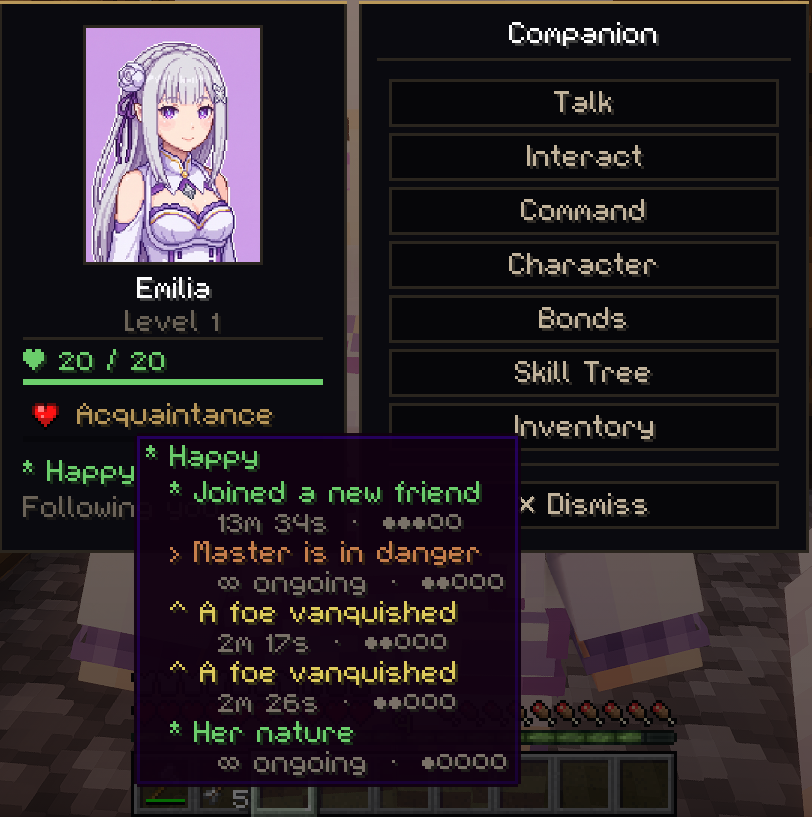
The Living Party
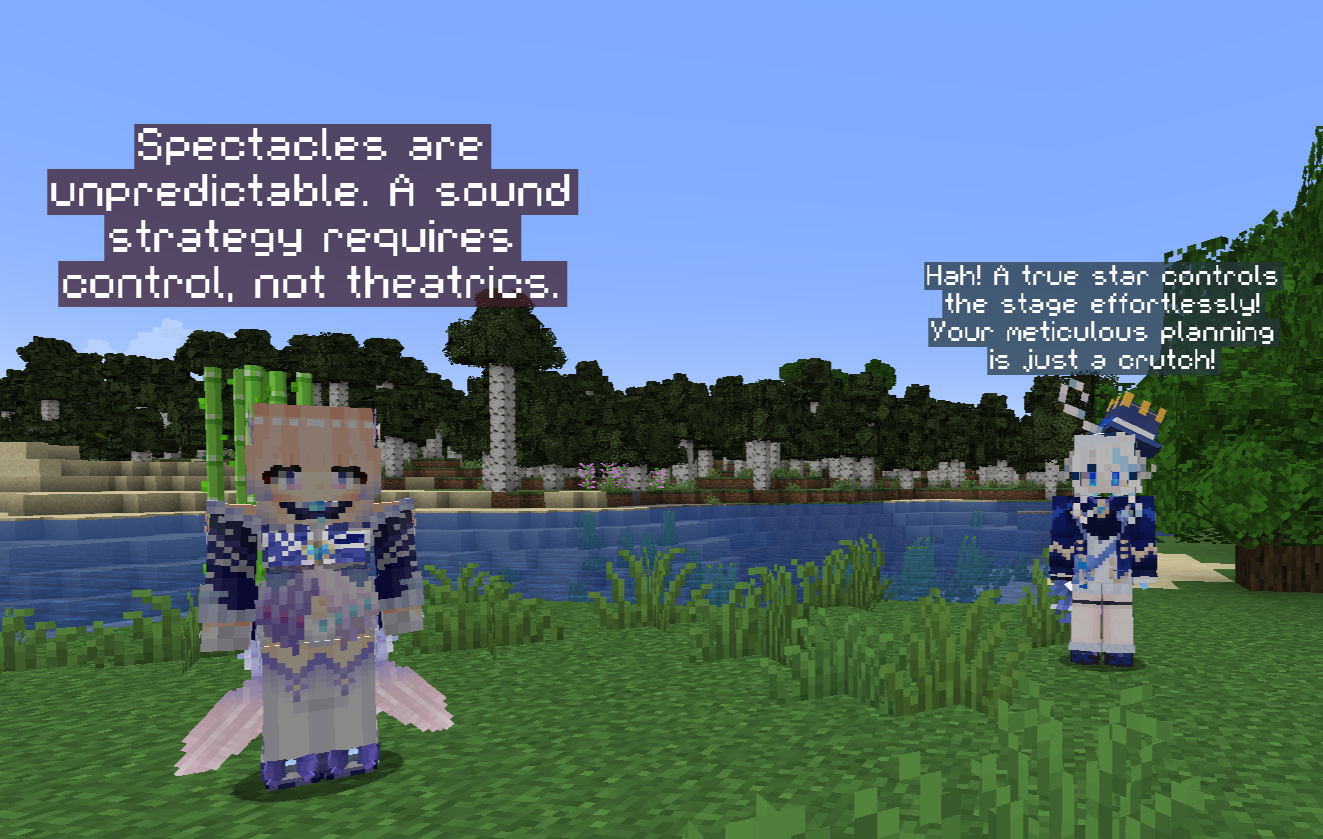
Companions react to each other. A true party feels alive. Every companion has Social Traits (e.g., Noble, Prideful, Peacemaker) that dictate their chemistry.
Banter & Bonding
A Mischievous companion might taunt a Prideful one. If traits synergize, they bond naturally over time.
Quarrels & The Peacemaker
When two companions clash, a lingering Argument can form. Your party elects a Main Peacemaker (a character like Emilia) who automatically steps in to defuse hostile banter — and you can settle the quarrel yourself from the Bonds menu.
Interactive Follow-ups
Talk to a companion right after they finish bantering to get their personal take on the conversation!
Physical Touch
Interacting with companions isn't just navigating menus. You can physically connect with them in the world.
Holding Hands
She doesn't just pathfind; she is dynamically placed by your side. She matches your pace, turns as you turn, and physically reaches her arm out to hold your hand!
Head Pats
When you praise a companion, your character actually swings their arm to pat their head, and the companion looks up at you, visibly pleased.
Homes & Rest
Companions don't just stand around when dismissed; they have a place to belong.
- Ledger of Homes: Use this item to found and manage bases anywhere in the world.
- Assigning Beds: Through the Command UI, you can point out a specific bed for them to claim. At night, they will actually sleep!
- Going Home: When you dismiss a companion who has a home, they don't despawn—they physically walk back to their base.
Living Memories
A true journey leaves a mark. Companions remember notable moments they were present for.
Epic Events
Whether it's a near-death experience, a Creeper scare, killing a Boss, or entering the Nether for the first time, companions will log the memory.
Spontaneous Reminiscence
Days later, they might randomly bring it up in chat ("Remember that creeper?"). If two companions share the same memory, they will reminisce together and strengthen their bond!
Second Chances
A companion who runs out of health does not die on the spot. She goes down — and for half a minute, whether she gets back up is entirely up to you.
Thirty Seconds
She collapses where she fell and bleeds out over half a minute. Monsters lose interest in her and turn on whoever is still standing.
Kneel Beside Her
Get within four blocks and hold right-click for two and a half seconds. She comes back on a third of her health — and another companion can do it instead of you.
If Nobody Comes
She leaves a Resurrection Totem. Keep it safe for five in-game days and she returns. It is an item like any other, so it can be lost.
Not All Of Them Are Found
Most wanderers are standing somewhere in the world, waiting to be spoken to. One is not.
Go to bed and you may dream. If you do, everything that follows — who she is, what wants her quiet, and how she ends up walking beside you — is a questline that plays out across several nights and one very long one.
We are not going to spell it out here. If you would rather know before you play it, her page carries the whole thing behind a spoiler warning — open Columbina in Companions and click to reveal.